

From chatbots that draft itineraries in seconds to apps that predict when to buy your flight ticket, a new generation of digital tools is making travel planning faster and far less painful. Here is what is actually worth using.

Planning a trip used to mean hours of browser tabs, bookmarked blog posts, and a growing pile of confirmation emails you hope are all correct. Today, a growing number of digital tools promise to do much of that work for you. Some genuinely deliver, while others are more noise than signal.
For travellers in Singapore, where weekend getaways to Bali, Bangkok, and Taipei are practically a national sport, knowing which tools are worth your time matters. The options have multiplied quickly, and it is easy to spend more time researching tools than actually planning the trip itself.
Starting With AI Research
The first thing many travellers do now is open a chatbot. Tools like ChatGPT, Google Gemini, and Perplexity AI have become popular starting points for destination research. You can ask broad questions, such as “What is the best time to visit Japan?” or something more specific, like “Suggest a five-day itinerary for Kyoto on a mid-range budget.” The responses are often useful, though they are not infallible.
The difference from a standard Google search is that ChatGPT, Gemini, and Perplexity each synthesise information from multiple sources and present it in plain language. Instead of clicking through ten travel blogs, you get a summary in one place. But there is a catch worth knowing: AI chatbots do not always carry up-to-date information. Visa rules change, prices shift, and attractions close for renovation. Anything the AI tells you should still be checked against official sources before you commit.
Perplexity AI stands out here because it cites its sources, making fact-checking easier. For travellers who want a starting point rather than a finished plan, it is one of the more transparent AI research tools available.
Building An Itinerary Without The Spreadsheet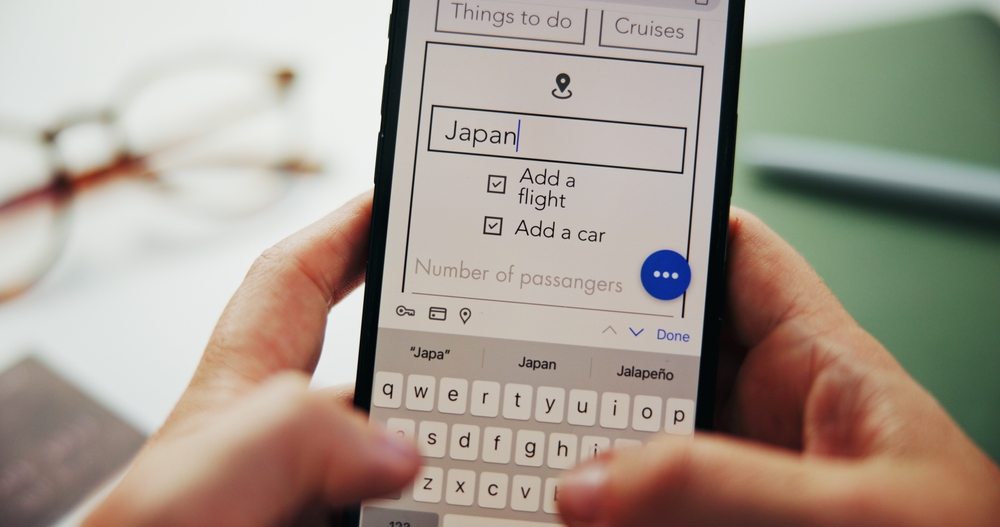
Once you have a rough sense of where you are going, the next challenge is turning that into a workable day-by-day plan. This is where dedicated itinerary tools earn their keep.
Wanderlog is one of the stronger options on the market. It lets you build daily itineraries, add places directly from Google Maps, and share the plan with travel companions in real time. It also works offline, which is useful when you are travelling through areas with patchy data coverage. The free version covers most of what the average traveller needs, and it has an interface that is easy to use without a tutorial. The free tier includes unlimited trip creation, collaborative editing, map integration, and offline access. A paid Pro tier adds budget tracking, restaurant recommendations, and flight monitoring.
TripIt takes a different approach. Rather than building itineraries from scratch, it reads your booking confirmation emails and automatically assembles a master travel plan. Book a flight on Singapore Airlines, a hotel on Booking.com, and a tour through Klook, and TripIt pulls all three into a single chronological timeline. It is a good fit for travellers who already know their plans but want everything consolidated in one place without manually entering every detail. Unlike Wanderlog, TripIt does not have a built-in map view. It is primarily a timeline and document organiser. Once your trips are synced, the details are accessible offline.
For those who prefer keeping things inside a familiar ecosystem, Google Maps’ saved places and lists feature lets you save places, build routes across a city, and plan your days visually. It is simple and, because it ties directly into Maps, directions are always at hand.
Tracking Flight Prices And Finding Deals
Flight prices can feel random, and for travellers flying out of Changi, where dozens of routes are available across dozens of carriers, comparing fares manually takes time. A handful of tools make this considerably easier.
Google Flights remains one of the most reliable options for price comparison. Its calendar view shows the cheapest days to fly within a given month, and its price tracking feature sends alerts when fares move on a route you are watching. It does not book the flight directly, but it helps you decide when to pull the trigger.
Hopper is an app that analyses historical fare data and predicts whether a given price is likely to rise or fall. It then tells you whether to book now or hold off. It is not always right, but its track record on predictions is generally reliable for broad timing decisions rather than exact price movements. The app also covers hotel prices, which is useful for travellers who are flexible on accommodation timing.
One thing these tools cannot change is the basic economics of flight pricing: booking early still gives you the best fares. Prices on most routes spike sharply in the final two to three weeks before departure, and no amount of fare tracking will recover that window once it has passed.
While Google Flights works best when you already have a route in mind, Skyscanner is better suited to open-ended, flexible searches. Its “Everywhere” function shows the cheapest destinations available from Changi on a given weekend, making it the better tool when you do not yet have a destination in mind.
Managing Bookings On The Go
One of the quieter improvements in travel technology is how much easier it has become to keep track of existing bookings. Apps like TripIt Pro and Tripsy send real-time flight alerts and notify you of gate changes or delays without you having to check the airline app separately.
For accommodation, most major platforms, including Booking.com and Agoda, now have solid apps for managing reservations. But the more notable development is how they are using AI behind the scenes to surface recommendations that actually match your preferences. If your booking history skews towards boutique properties and city-centre locations, the algorithm adjusts accordingly. It is not perfect, but it is better than sifting through hundreds of options manually.
Messaging platforms have also entered the picture. Several hotels and airlines in Southeast Asia now allow guests to manage bookings, make requests, and reach customer support through WhatsApp or similar apps. It is less formal than email and, in practice, often gets faster responses for simple requests. For last-minute changes or simple questions, it removes the need to navigate a website or wait on hold.
Getting Around Once You Arrive
The tools that matter most once you actually land tend to be the ones that help you communicate and move around. Google Translate has been around for years, and its live camera translation feature has improved significantly. Point your phone at a menu in Japanese or a sign in Thai, and the translation appears on your screen in real time. It handles common scripts well enough to be genuinely useful, even if nuance is sometimes lost.
For navigation, Google Maps and Apple Maps remain the default choice for most travellers. But in parts of Southeast Asia, local apps perform better. Grab , covers most of Southeast Asia, including Thailand, Malaysia, Indonesia, Vietnam, and the Philippines, and often handles local addresses more accurately than Google Maps in smaller cities. In Indonesia, Gojek is also widely used and worth installing. For destinations outside the region where neither Grab nor Gojek operates, Uber remains a solid fallback.
What’s newer is the use of AI inside hotel and travel apps to handle guest queries around the clock. Some properties now use chatbots powered by large language models to answer questions about check-in, room facilities, or local recommendations. You get an instant answer without waiting for the front desk. It is not always the warmest experience, but for quick, factual questions, it works well. The tools are genuinely getting better, and for most travellers, that means less time organising and more time actually being somewhere. But it is worth keeping expectations in check. AI tools are useful for research and logistics, but they work best when paired with your own judgement.
A chatbot can attempt to answer questions about neighbourhood safety, restaurant quality, or seasonal conditions, but the reliability of those answers varies and cannot replace lived experience. Those are still things you learn from experience or from people who have been there.
Use these tools to handle the groundwork. Let them crunch the prices, consolidate the bookings, and draft the itinerary. But when it comes to what makes a trip worth taking, that part is still yours to figure out.